
Account Management
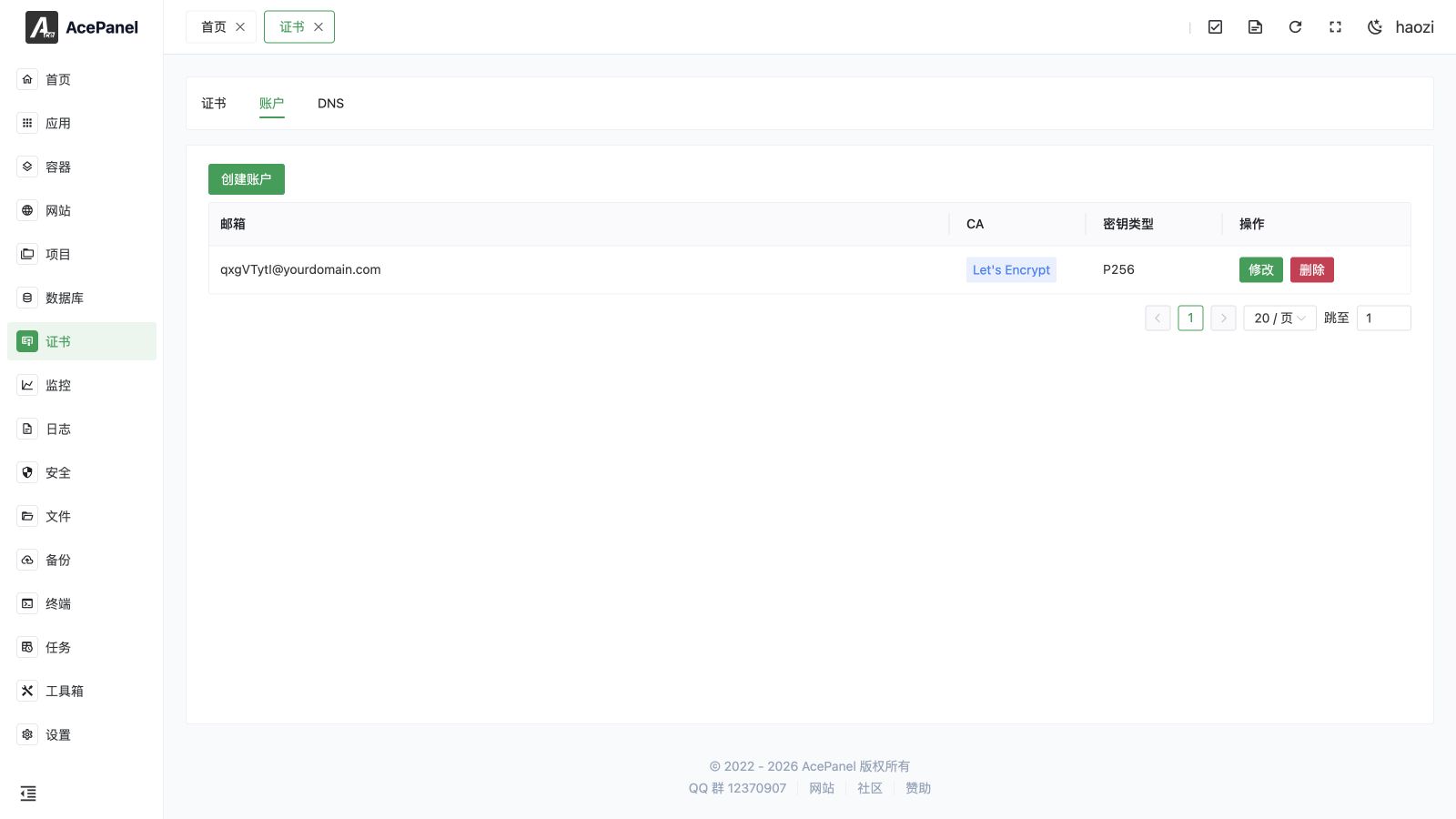
The account management page is used to manage ACME accounts. ACME accounts are used to apply for certificates from certificate authorities.
Account List
Go to Certificate > Account tab to view the account list.
The list displays the following information:
- Email: Account email
- CA: Certificate Authority
- Key Type: Account key type
- Actions: Modify, delete
Create Account
- Click the Create Account button
- Fill in the configuration:
- CA: Select certificate authority
- Key Type: Select key algorithm
- Email: Used to receive certificate-related notifications
- KID: Required only when CA is Google, LiteSSL, or SSL.com
- HMAC: Required only when CA is Google, LiteSSL, or SSL.com
- Click Submit
Note
LiteSSL, Google, and SSL.com require obtaining EAB (KID and HMAC) from their official websites first. The KID and HMAC fields are only shown when one of these CAs is selected. Google is not accessible in mainland China; other CAs depend on network conditions, so using Let's Encrypt or LiteSSL is recommended.
Certificate Authority (CA)
| CA | Description |
|---|---|
| Let's Encrypt | Most popular free CA, certificate valid for 90 days |
| GoogleCN | Google certificate service mirror provided by AcePanel |
| LiteSSL | Free certificate service provided by TrustAsia |
| ZeroSSL | Free CA, certificate valid for 90 days |
| SSL.com | Commercial CA, supports ACME issuance with EAB |
| Google's free certificate service |
Key Type
| Type | Description |
|---|---|
| EC256 | Recommended, shorter key, better performance |
| EC384 | Higher security ECC key |
| RSA2048 | Traditional RSA key, best compatibility |
| RSA4096 | Higher security RSA key |
Recommendation
Generally recommended to use the EC256 key, balancing security and performance.
Modify Account
Click the Modify button on the right side of the account to modify the CA, key type, email, KID, and HMAC. Saving re-registers the account with the CA using the new settings.
Note
After modifying the email, certificate-related notifications will be sent to the new email.
Delete Account
Click the Delete button on the right side of the account to delete the account.
Note
After deleting an account, certificates applied with that account cannot be renewed. Please migrate certificates to another account or delete related certificates first.
Account Usage
ACME accounts are used for:
- Proving your identity to the CA
- Receiving certificate expiration reminders
- Managing applied certificates
- Revoking certificates
Multiple Accounts
You can create multiple accounts:
- Different CAs require different accounts
- Can use different accounts for different projects
- Convenient for managing and distinguishing certificates