
System
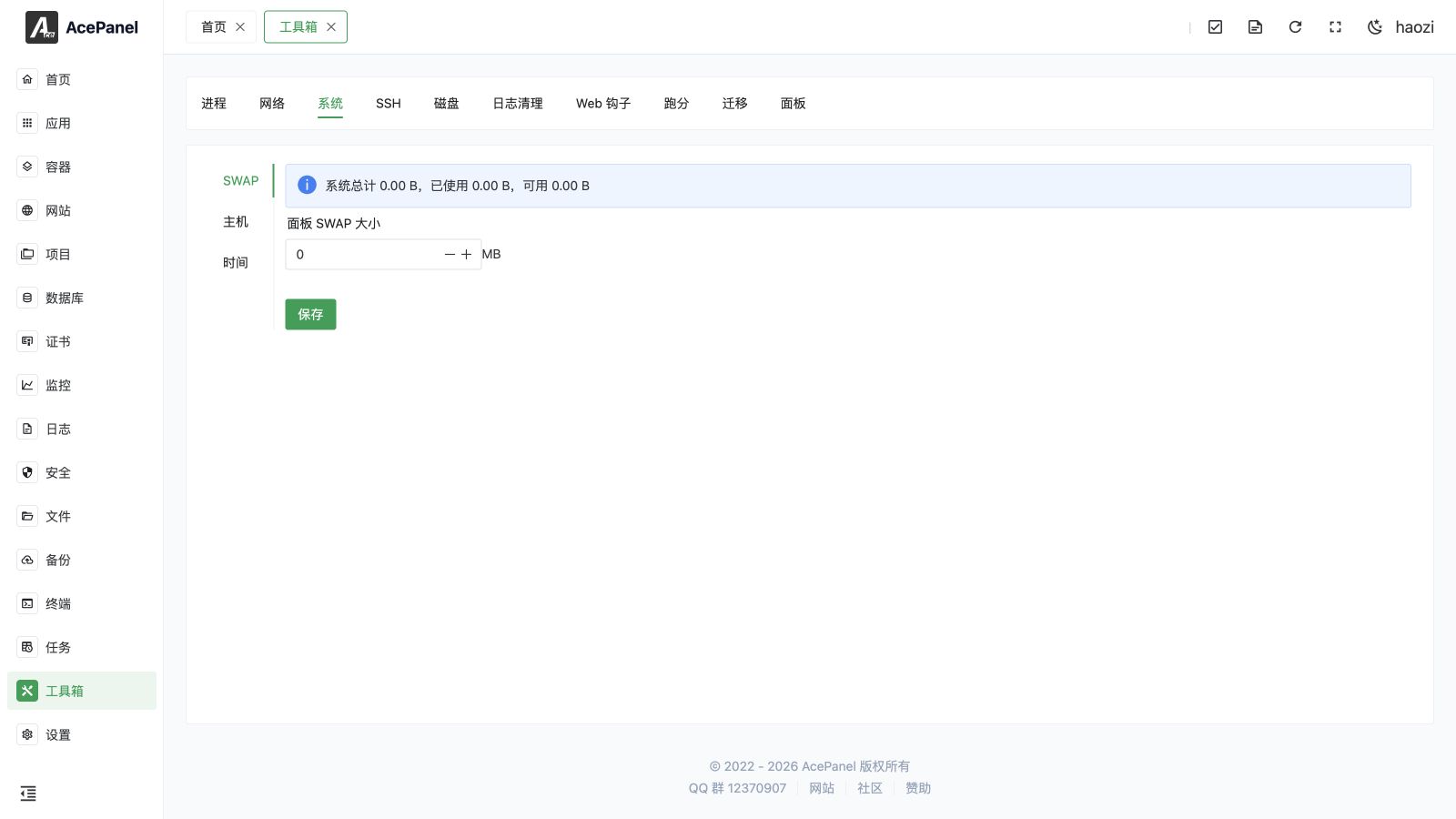
The System page manages Swap, hostname, Hosts entries, timezone, manual time, and NTP. Network-interface addresses, gateways, and DNS are configured under Network.
SWAP
Manage the system's SWAP space.
The page displays current SWAP usage:
- System total
- Used
- Free
Configure Panel SWAP
Set the size of the SWAP file managed by the panel (unit: MB).
- Setting to
0disables panel SWAP - It is recommended to set based on server memory size, typically 1-2 times the memory
Tip
SWAP can provide additional virtual memory when physical memory is insufficient, but performance is lower than physical memory. For servers with sufficient memory, SWAP may not need to be enabled.
Host
Configure system hostname and Hosts file.
System Hostname
Modify the server's hostname, such as myserver, web-01, etc.
Hosts
Edit the system's /etc/hosts file for configuring local domain name resolution.
Common uses:
- Block specific domains
- Configure local development domains
- Speed up resolution of specific domains
Time
Configure system timezone and time synchronization.
Select Timezone
Select the server's timezone from the dropdown list, such as Asia/Shanghai.
Modify Time
Manually set the system time.
Note
After manually changing the time, automatic system time synchronization may still override the settings.
NTP Server
Specify the NTP server used by Synchronize Time. This is a one-off server for the synchronization action and is not persisted. Leave it empty to fall back to the panel's built-in servers (such as ntp.aliyun.com, ntp1.aliyun.com, ntp.tencent.com, time.windows.com, time.apple.com), which are probed automatically to pick the fastest reachable one.
Click Configure Default Servers to open the System NTP Server Configuration dialog, where you can manage the system's persistent NTP server list. The dialog detects whether the system uses Chrony or systemd-timesyncd and writes the change to its configuration. You can add or remove multiple servers, click Reset to Default to restore the built-in list, and Save to apply. At least one server is required.
If the panel cannot identify the time service, the dialog shows a warning that the NTP service could not be detected and asks you to ensure that Chrony or systemd-timesyncd is installed. In this case, install one of those services before persisting an NTP server list.
Action Buttons
- Save: Save the timezone and the manually set time
- Synchronize Time: Immediately synchronize the system time using the NTP server (or the built-in servers if left empty)